How to manage notification preferences
Edited
Step-by-step instructions
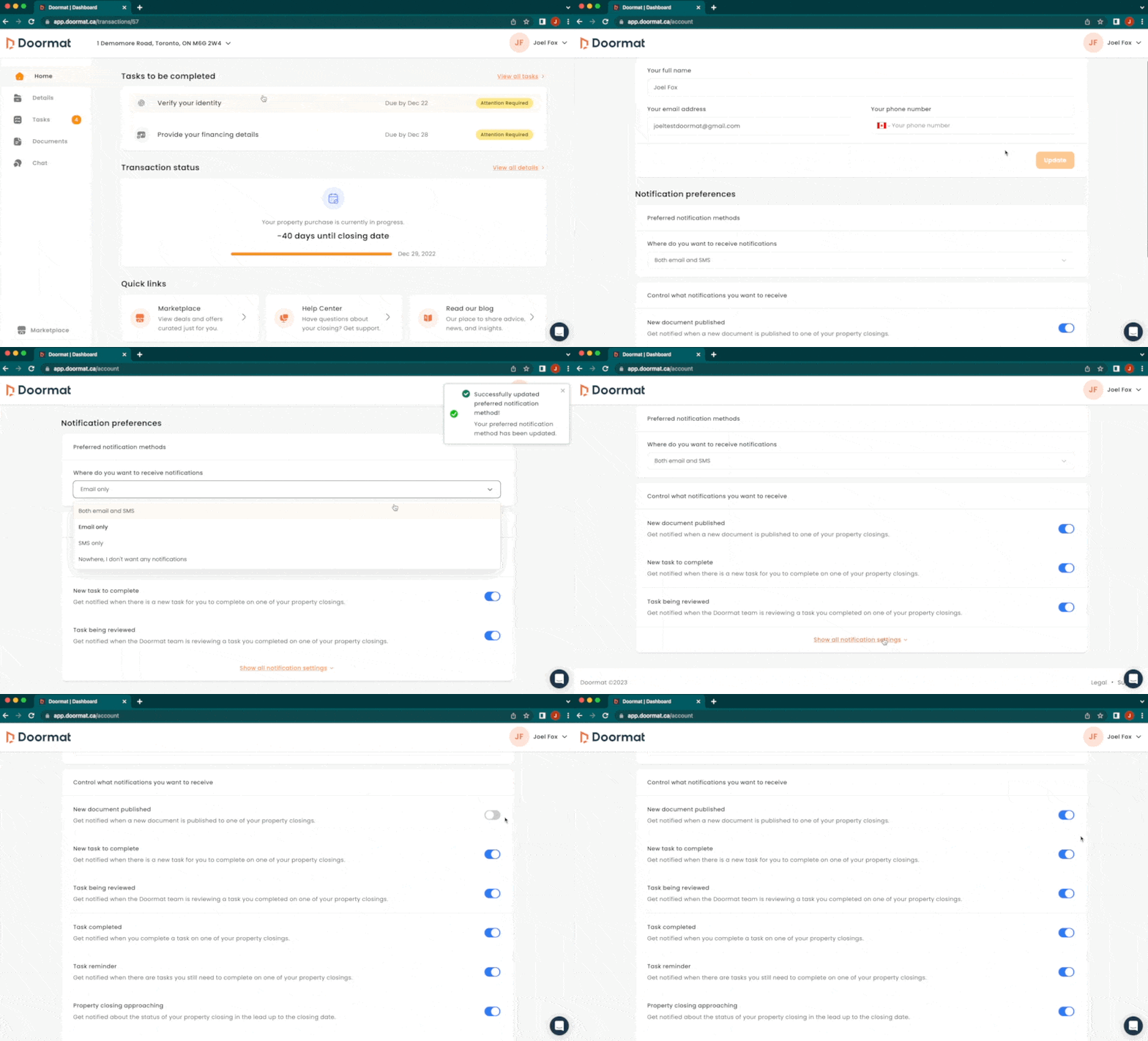
Click on your name in the top right corner of your dashboard and select 'Account' from the dropdown menu.
On the account page, scroll down to the 'Notification preferences' section and select your preferences.
Select where you want to receive your notifications - email and/or SMS - by choosing from the dropdown menu.
Select which events you want to receive notifications about by clicking the button beside each notification type. If the button is blue, you will receive notifications, and if it is grey, you will not.
Video overview
notification preferences