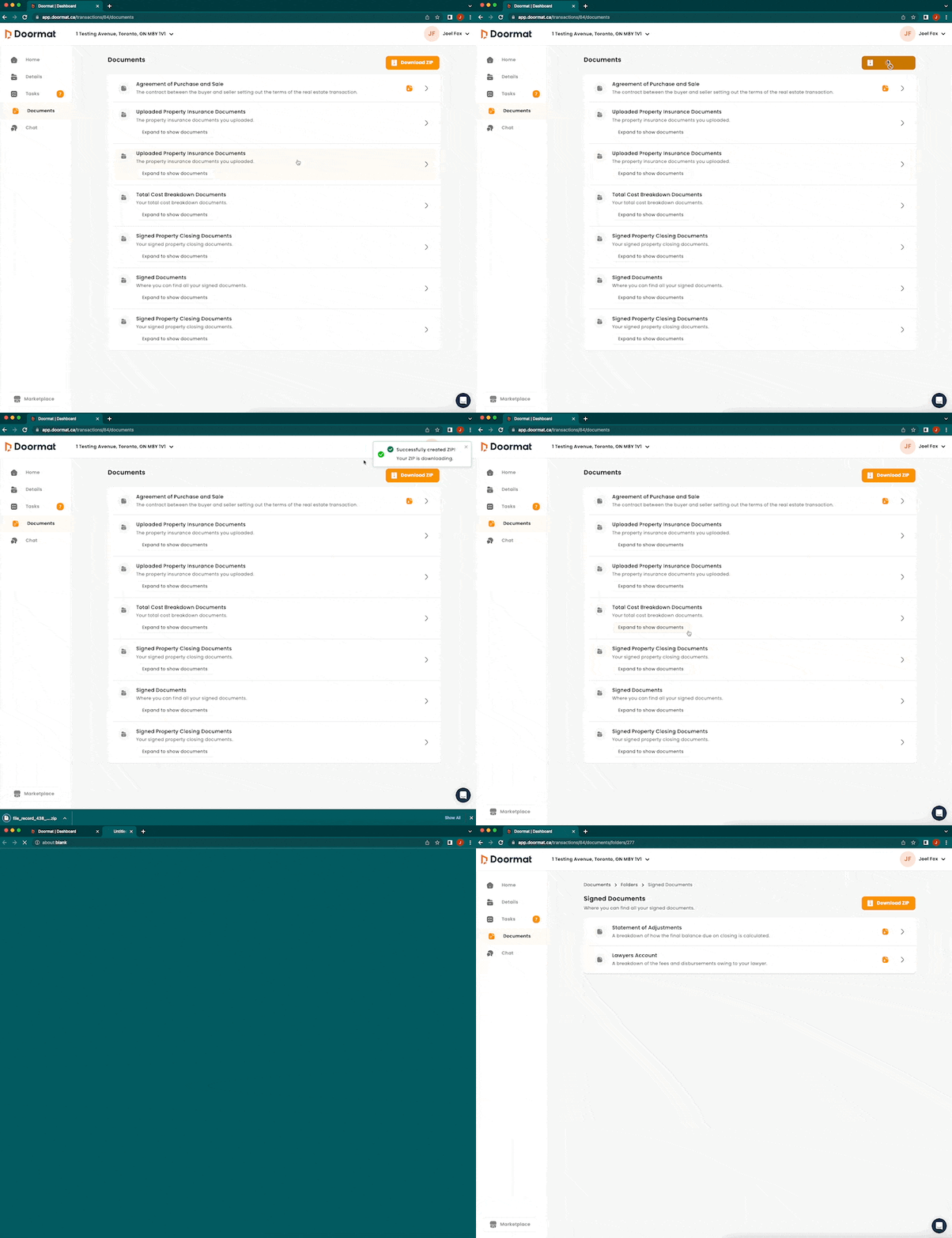
How to use the documents page
The 'Documents' page of your Ownright dashboard serves as a central location for all important documents related to your real estate transaction. You are able to view documents in the application, download them individually, download them as a group, and access document summaries.
View documents in application: to view documents in the Ownright application, click on the document and you will be presented with both a 'Summary' view and a 'Full Document' view. The 'Summary' view gives you key highlights whereas the 'Full Document' shows you the document in its entirety.
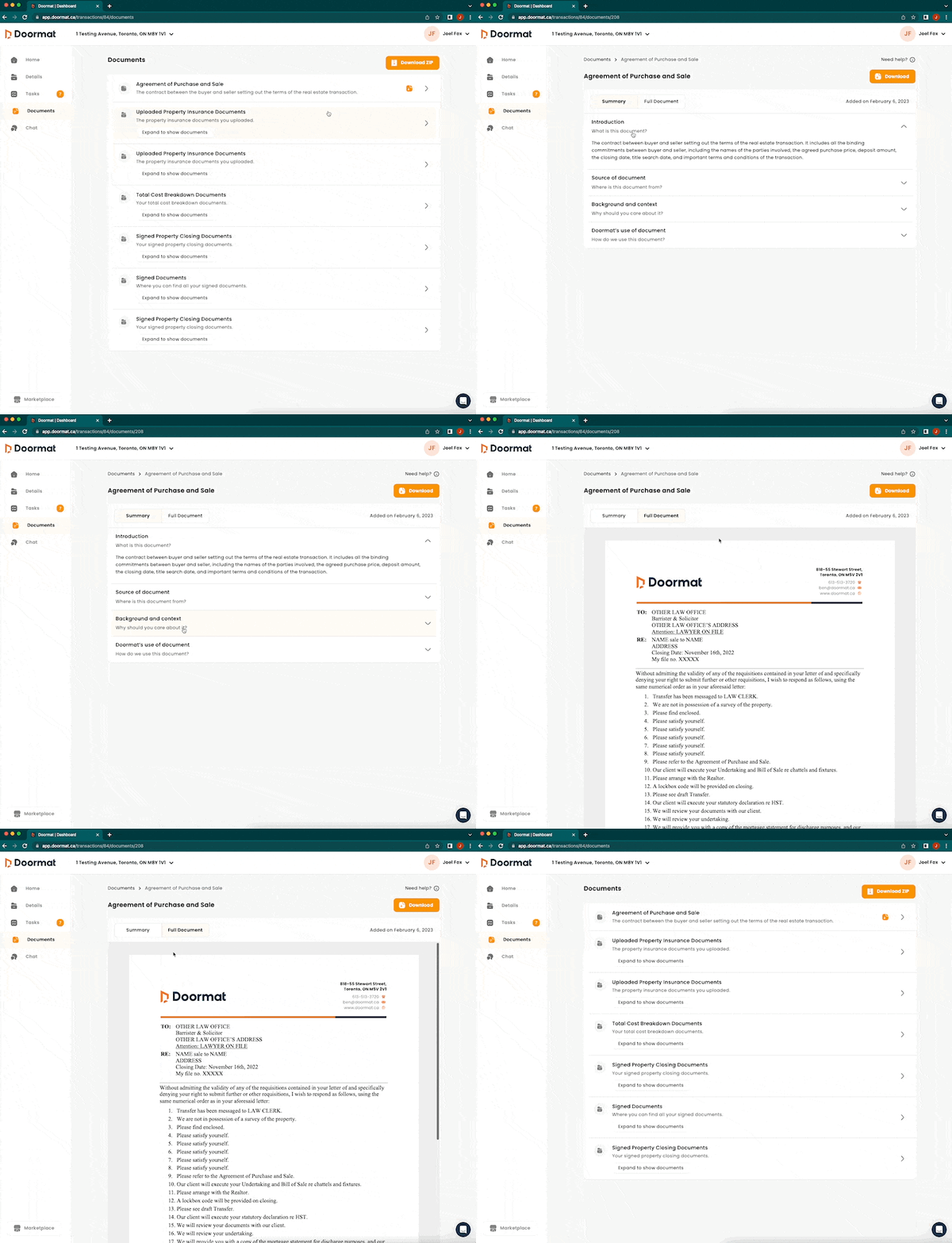
Download documents individually: you can download documents from the main 'Documents' page by clicking the orange button with an arrow facing down, beside the document you'd like to download.
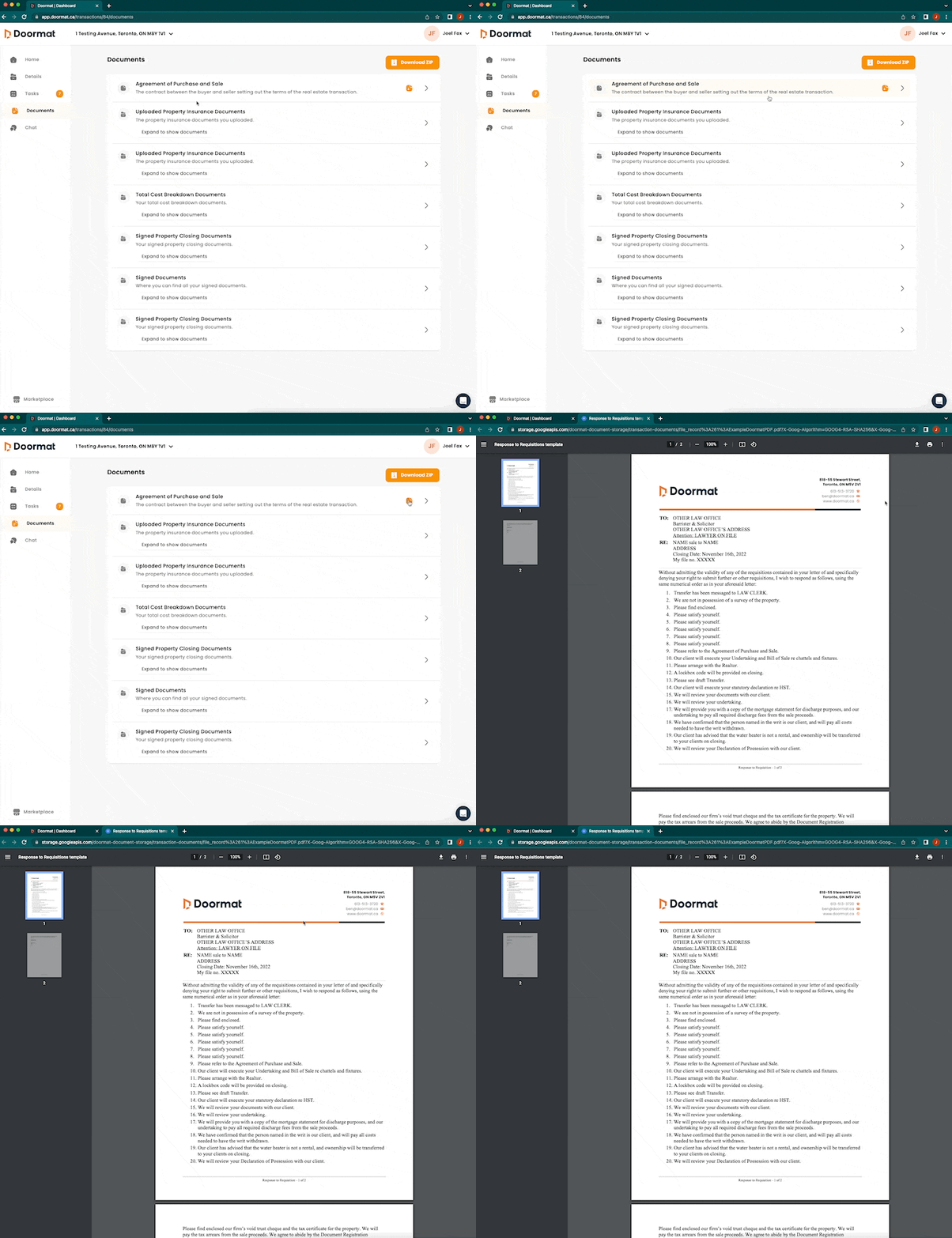
Download documents as a group: some documents that are related to each other may be presented in a folder. You can download these documents together and you are also able to download all documents in your 'Documents' section as one zip. To download a group of documents, simply click 'Download ZIP' at the top of the page you'd like to download documents from.